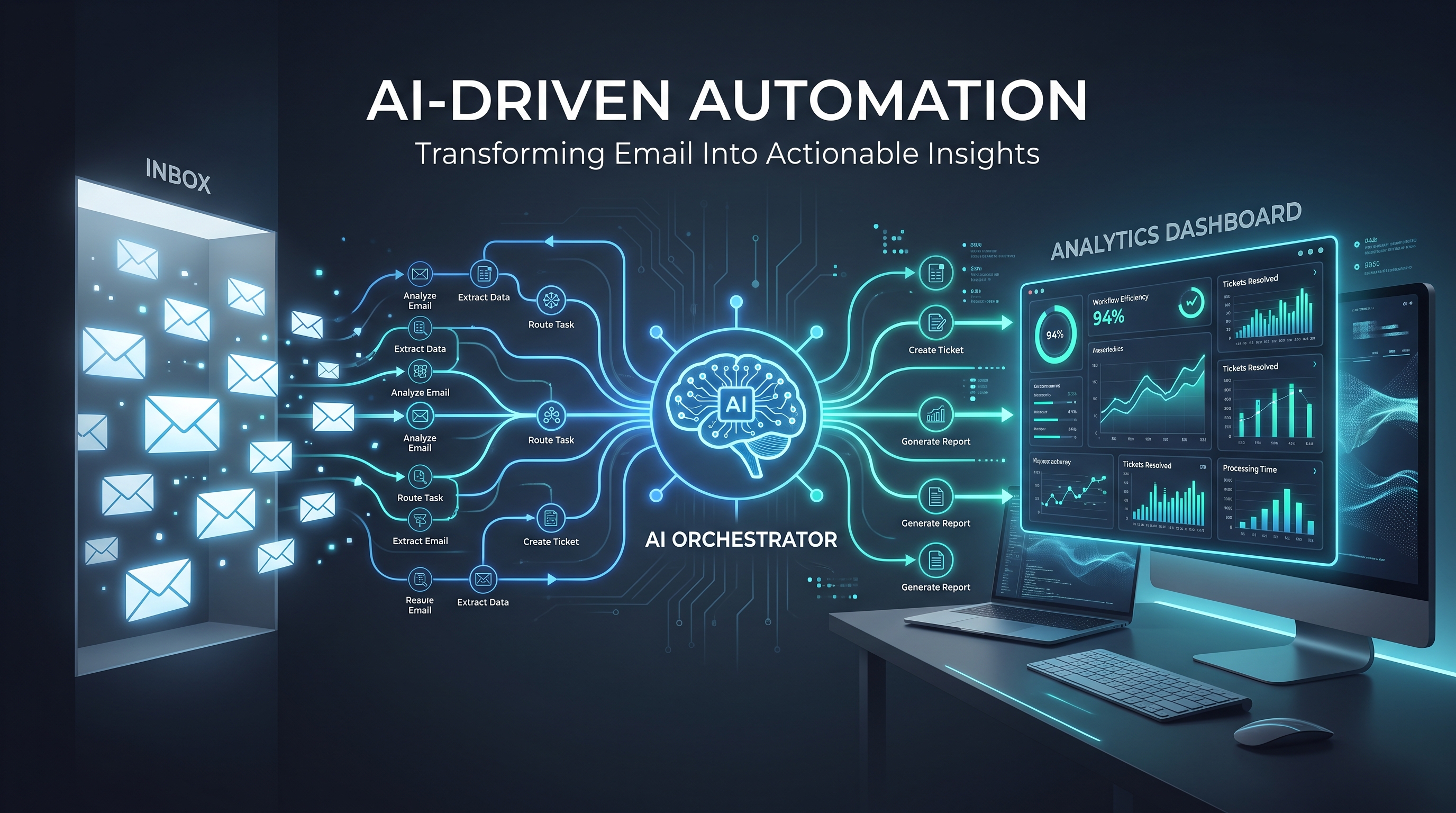
Email marketing is the highest-ROI channel for most small businesses, but it is also one of the most time-consuming to do well. Writing individual messages, segmenting lists, A/B testing subject lines, and scheduling follow-ups can eat a full day every week. AI email marketing automation changes that — if you set it up the right way.
This guide covers a practical workflow that works with the tools you already use: spreadsheets, CRMs, and email platforms like Mailchimp, ConvertKit, or Brevo. No coding required. You will learn where AI adds real leverage, what to keep manual, and how to measure whether it is working.
Where AI Actually Helps Email Marketing
Most AI email marketing automation advice falls into two camps: hype about "fully autonomous campaigns" (which do not work well yet) and basic tips like "use ChatGPT to write your newsletter." The reality sits somewhere in between.
Here is what AI does well right now in 2026:
- Writing first drafts of sequences. A 5-email welcome sequence takes most people 3–4 hours to write from scratch. AI can produce a solid first draft in 60 seconds. You still need to edit, but the blank page problem disappears.
- Personalizing at scale. Sending "[Name], check out our [Product]" is basic. AI can adapt entire paragraphs based on industry, past purchases, or engagement level without you creating 20 versions of the same email.
- Scheduling and timing optimization. AI tools analyze when each subscriber opens emails and schedules delivery individually, not just blasting at 10 AM Tuesday.
- Subject line testing. AI generates 10–20 subject line variants and predicts which will perform best based on your audience's past behavior.
- List cleaning and segmentation. AI spots inactive subscribers, detects role changes (someone who was a "prospect" becomes a "customer"), and updates segments automatically.
A 4-Step Workflow for Busy Teams
This workflow assumes you run a small business or manage marketing for one. You are not a dedicated email marketer. You need something that works with minimal daily effort.
Step 1: Define Your Core Sequences
You do not need twelve email sequences. You need three:
- Welcome/Opt-In Sequence — for new subscribers who download a lead magnet or sign up
- Sales Follow-Up Sequence — for leads who requested pricing, booked a call, or showed purchase intent
- Re-Engagement Sequence — for subscribers who have not opened an email in 60+ days
For each sequence, write a one-paragraph brief instead of outlining every single email. Example brief for a welcome sequence:
"New subscriber who downloaded our AI automation checklist. Send 4 emails over 14 days. Email 1 delivers the checklist with a personal note. Email 2 shares a case study of a similar business. Email 3 offers a free 15-min consultation. Email 4 asks for feedback and introduces our paid tools."
Feed this brief into an AI writing tool (ChatGPT, Claude, or your email platform's built-in AI). Ask for a draft of all 4 emails in the same tone as your existing content.
Step 2: Personalize Beyond First Names
Generic personalization stops working after the first email. AI email marketing automation lets you go deeper without manual work.
Set up these custom fields in your email platform:
- Industry (e.g., "real estate," "healthcare," "ecommerce")
- Pain point (captured from opt-in form or initial call)
- Lead score (hot, warm, cold)
- Last engagement date (tracked automatically)
Then use AI to generate conditional blocks. For example:
"I see you work in [industry] . Businesses like yours usually struggle with [pain point] , so I put together a short guide specifically for [industry] teams."
The AI fills in the bracketed fields dynamically from your CRM or tag data. This takes 15 minutes to set up once and then runs automatically.
Step 3: Build a Simple Review-and-Release Loop
The biggest mistake people make with AI email marketing automation is trusting the output without checking it. A single hallucinated statistic or weird turn of phrase can damage trust with your list.
Instead, use this review workflow:
- AI drafts the email sequence.
- You read each email once — on mobile, in your email client's preview mode, not in the AI tool.
- Make edits for tone, accuracy, and brand voice.
- Schedule the sequence to send with a 24-hour delay between emails.
- After the sequence runs once, check open rates per email and adjust the weakest performer.
Total time: about 30 minutes per sequence, instead of 3 hours.
Step 4: Automate List Hygiene
Bad lists kill deliverability. If you send emails to people who never open them, Gmail and Outlook start routing your messages to spam for everyone — even engaged subscribers.
Set an AI-powered re-engagement workflow:
- After 60 days of no opens, send a "Should we stay in touch?" email (AI-drafted, 2 variants).
- After 90 days, move the subscriber to a "cold" segment that receives at most one email per month.
- After 120 days, remove them entirely.
Most email platforms (Mailchimp, ActiveCampaign, Brevo) now include AI features that automate this cleanup. Turn them on.
What NOT to Automate
AI email marketing automation saves time, but four things should always stay human:
- Crisis communications — If your business has an outage, a PR issue, or a policy change, write the email yourself.
- One-to-one replies from hot leads — If a lead writes back with a specific question about pricing or implementation, a human should answer.
- Final approval on anything financial — Discount offers, price changes, and upsell sequences need a person to sign off.
- Brand voice definition — AI can mirror a voice, but it cannot invent one. Spend 30 minutes writing a brief brand voice guide, then feed it to your AI tools as a reference.
Real Results: What to Expect
Based on data from small businesses using these workflows with tools like Brevo AI, HubSpot Content AI, and Mailchimp's generative features:
- Time per sequence drops from 3 hours to 30 minutes — an 83% reduction
- Open rates increase 15–25% when subject lines and send times are AI-optimized
- Click-through rates stay flat or improve slightly, but the big gain is consistency — sequences actually get sent instead of being postponed
- List churn drops 10–15% because AI-driven re-engagement catches subscribers before they go fully cold
Recommended Tools
You do not need an expensive enterprise platform. These tools work well for small businesses and include AI features that cover the workflow above:
- Brevo (formerly Sendinblue) — best for small lists under 10k, built-in AI subject line and content generator, free tier up to 300 emails/day
- Mailchimp — AI Creative Assistant writes email content from prompts, plus predictive send-time optimization
- ConvertKit — strong for creators and course sellers, AI writing helper included on Creator Pro plan
- HubSpot (free CRM + Marketing Hub) — AI content assistant works with contact properties for deep personalization
For a broader comparison of AI automation tools across different business functions, check our guide on top AI automation tools for small businesses.
Measuring Whether It Is Working
Track these three numbers every 30 days:
- Sequence send rate — Are your sequences actually going out on schedule? Before AI, most small businesses launch one sequence and never build another.
- Average open rate per sequence — Compare against your regular broadcast emails. If your AI-assisted sequences are 20%+ lower, review the subject lines and timing.
- Time spent on email marketing per week — If you are not saving at least 2 hours per week after implementing AI email marketing automation, adjust the workflow.
For more on calculating the broader ROI of AI tools, read our post on AI automation ROI: how to calculate time and money saved.
Getting Started Tomorrow
You do not need a month-long implementation. Here is a one-week plan:
- Day 1: Pick your highest-value sequence (welcome, sales follow-up, or re-engagement). Write the brief.
- Day 2: Generate AI drafts for all emails in the sequence. Edit on mobile.
- Day 3: Set up conditional personalization blocks based on your existing CRM fields.
- Day 4: Turn on automated list cleaning and re-engagement in your email platform.
- Day 5: Schedule the sequence. Set a calendar reminder to review results in 14 days.
If you are new to building AI workflows for your business, start with our no-code AI agent stack for founders to understand the basics of connecting tools without writing code.
The Bottom Line
AI email marketing automation works best when it removes the repetitive parts of email marketing — drafting, personalizing, scheduling, and cleaning — while leaving the strategic decisions to you. The goal is not to send more emails. It is to send better emails with less effort.
Set up the four-step workflow above, measure the time savings after one month, and expand only when the first sequence is running reliably. Most small businesses overestimate what AI can do in a day and underestimate what it can do in a quarter. Start small, check the numbers, and build from what works.